67295
Retail Supply Chain and Sales Power BI Template
Retail Supply Chain and Sales Power BI Template
More Report pages
Overhauled by ZoomCharts
67295
Share template with others
Summary
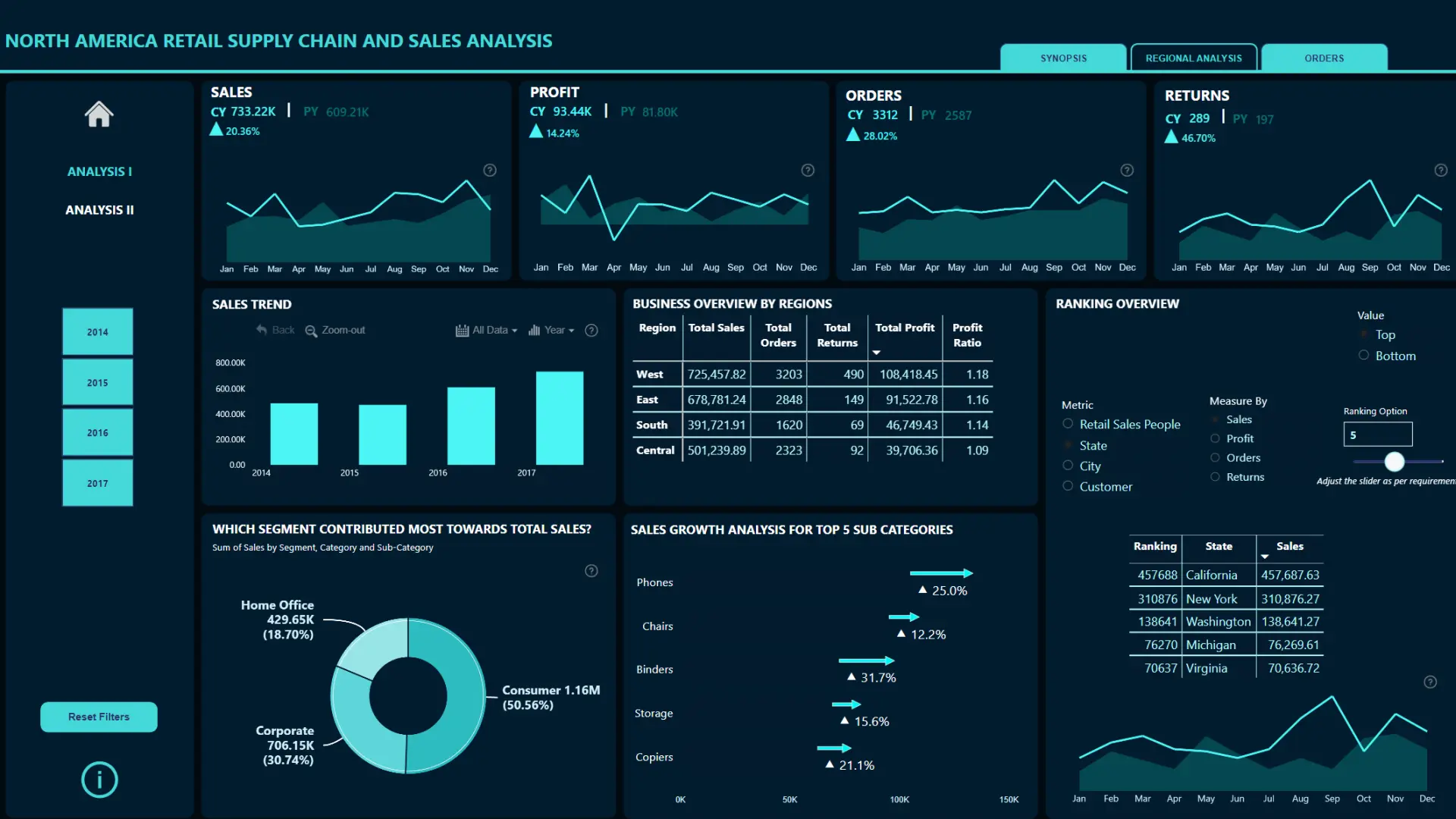
This Power BI retail supply chain and sales analysis dashboard is the winning entry from the FP20 Analytics October 2023 ZoomCharts Challenge. Created by Sushree Jena, it analyzes sales data from a North American retail network.
The report brings sales performance, regional results, order details, discounts, and profit into one interactive dashboard. It helps retail and supply chain teams explore performance patterns and understand how key sales metrics relate to one another.
Key Insights of the Retail Supply Chain and Sales Analysis Dashboard
The report is structured in two pages. The first page provides an overall performance view with interactive slicers, drill-down visuals, and tabs. The second page focuses on relationships between selected retail and supply chain metrics. Key insights include:
- Overall sales performance: review the main results across the North American retail network
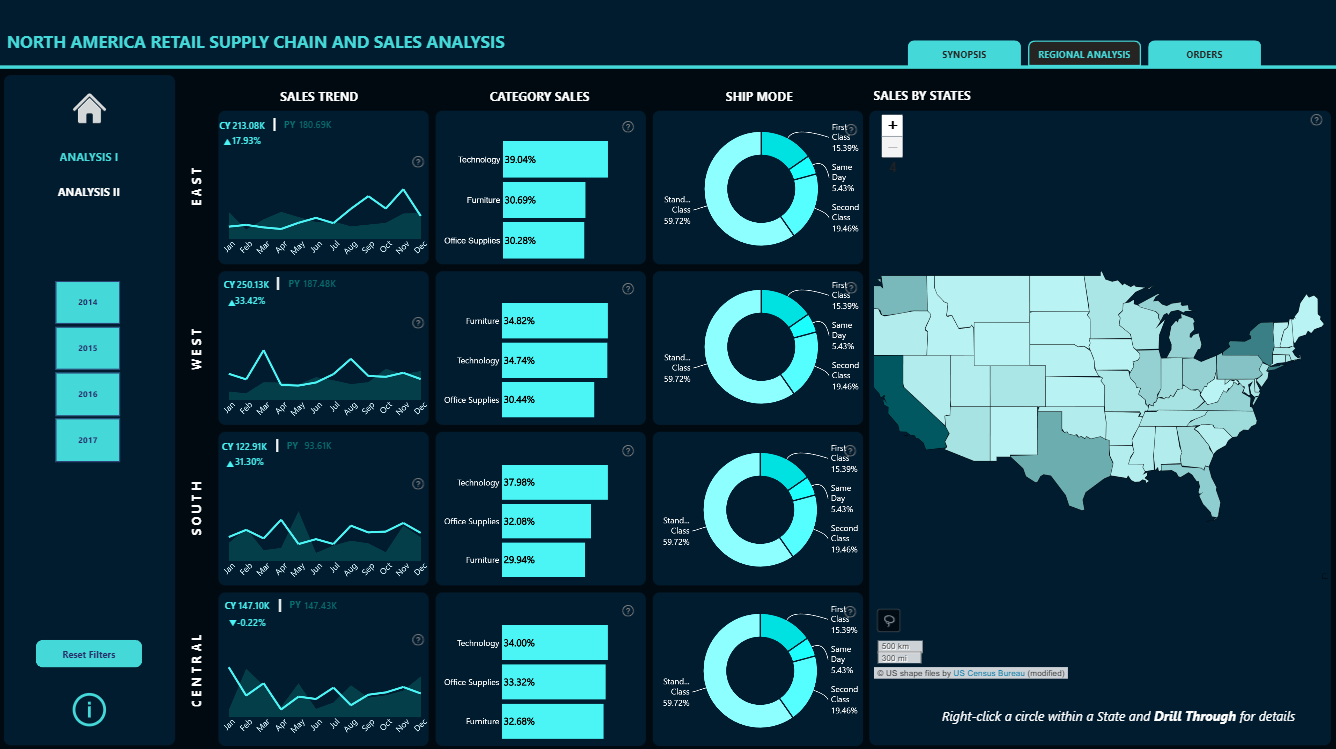
- Regional performance: compare sales results across different locations
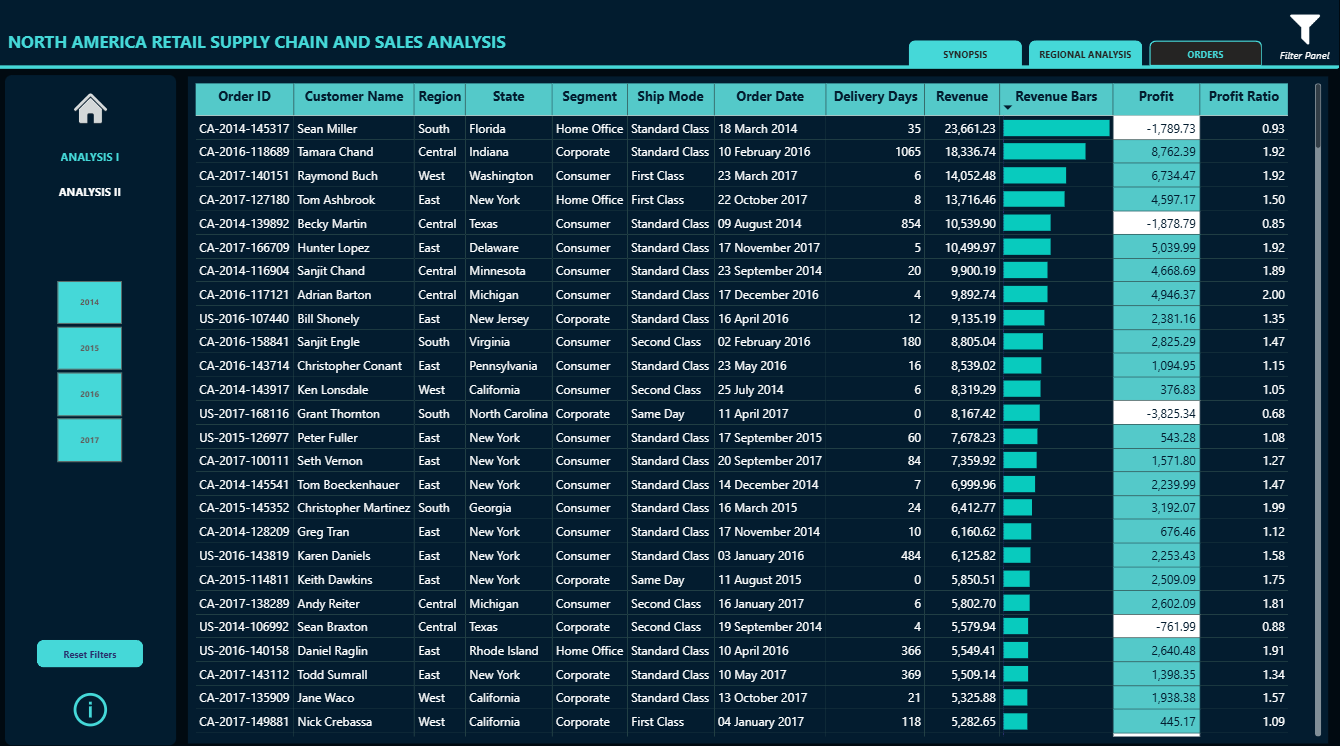
- Order analysis: explore order activity and related performance measures
- Discount impact: examine how discounts relate to sales, profit, and order activity
- Metric relationships: compare selected measures to identify correlations and performance patterns
Combo, map, and donut visuals make it easy to move from an overall view to more detailed insights. Interactive chart elements, slicers, and tabs allow users to filter the report and analyze the data from several perspectives.
This Power BI supply chain dashboard is based on the winning challenge submission, with minor refinements by the ZoomCharts team. See the original submission.
How to Use This Retail Supply Chain and Sales Analysis Dashboard
Click active chart elements to filter the report and drill down into specific results. Use the slicers and tabs to compare regions, explore order data, and examine relationships between discounts, sales, and profit.
Download the .pbix file to review the report structure, visual settings, formulas, and calculations. Adapt the template to analyze your own retail sales, order, regional performance, or supply chain data.



4U Report Challenges
Participate in data challenges, build and submit reports to get free template downloads.
Join CommunityMobile view allows you to interact with the report. To Download the template please switch to desktop view.
How to use a PBIX template
Preview the interactive report, download the PBIX file, open it in Power BI Desktop, and replace the same data connection with your own dataset.
Preview and download
Explore the report online and download the PBIX template file.
Open in Power BI Desktop
Open the downloaded PBIX file in Power BI Desktop.
Connect your data
Replace the sample data source with your own dataset.
Refresh and adjust
Refresh the model and update fields or visual were needed.
Save and share
Save your report and publish it for your audience.


