23906
Employee Turnover & Attrition Power BI Dashboard
Employee Turnover & Attrition Power BI Dashboard
More Report pages
Report Author: ZoomCharts
23906
Share template with others
Summary
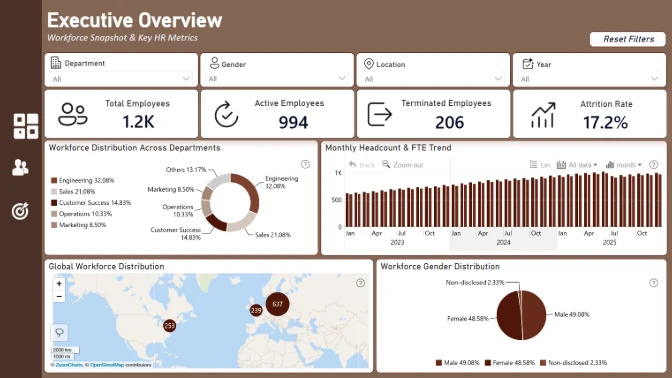
This Employee Turnover and Attrition Power BI Dashboard helps HR teams monitor how employees join and leave an organization over time. It provides a clear overview of workforce changes, employee retention, and turnover patterns.
The report combines high-level workforce metrics with interactive breakdowns, allowing users to identify where employee departures are concentrated and examine the overall stability of the workforce.
Key Insights of the Employee Turnover and Attrition Power BI Dashboard
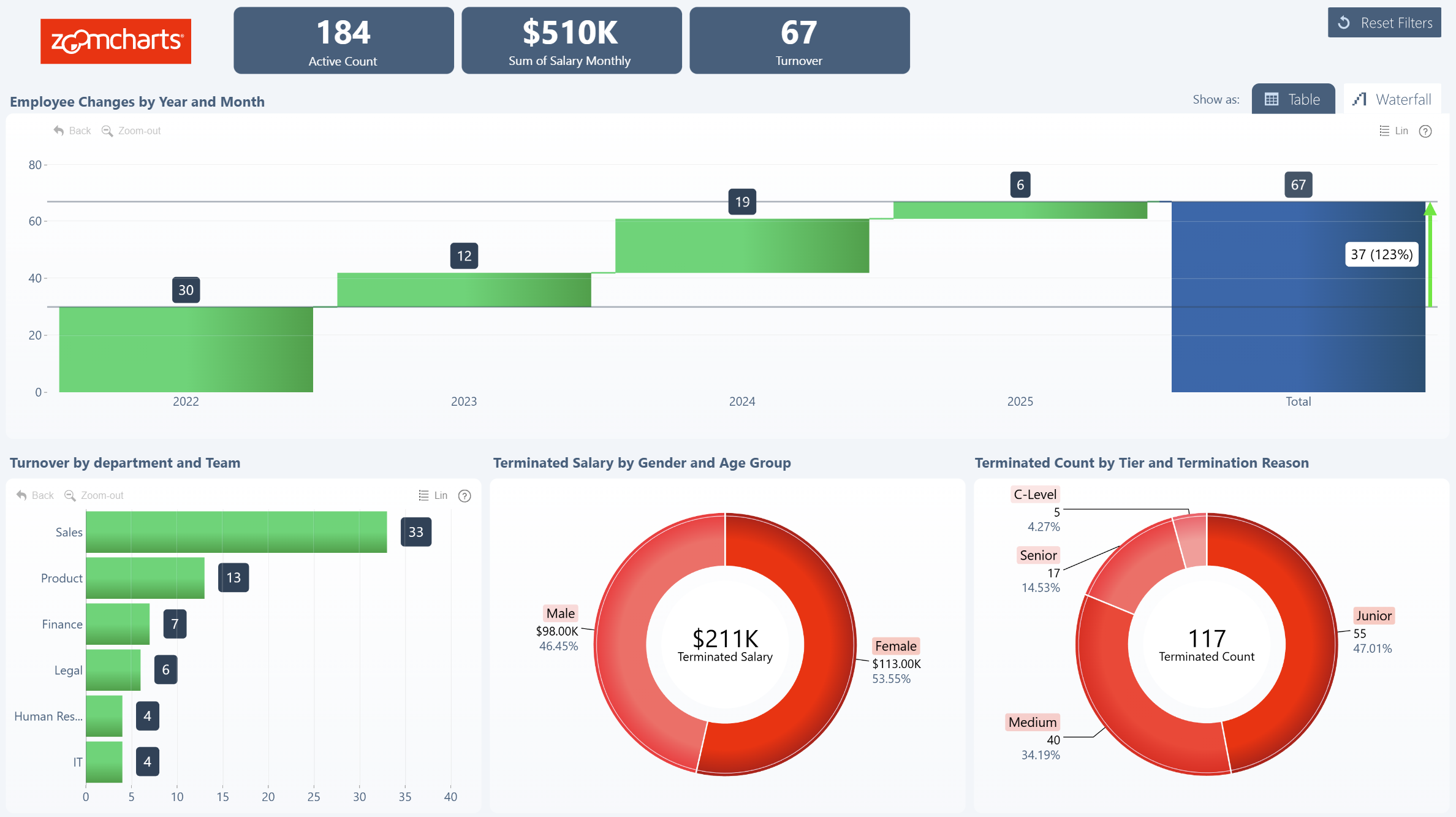
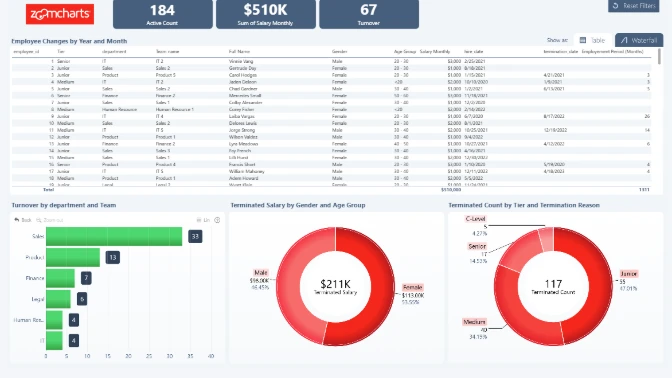
The dashboard presents employee turnover through charts and a detailed table. Key insights include:
- Employee turnover: Monitor the overall rate and volume of employees leaving the organization.
- Workforce changes: Use the waterfall chart to understand how employee additions and departures affect workforce size.
- Terminated employees by gender: Compare termination counts across employee gender groups.
- Terminated employees by tier: Identify how employee departures are distributed across workforce tiers.
- Detailed records: Review the underlying turnover information in a table for more granular analysis.
Interactive visuals work together through cross-chart filtering. Users can select individual categories to update the dashboard and examine employee turnover from different perspectives.
This report was created by ZoomCharts.
How to Use This Employee Turnover and Attrition Power BI Dashboard
Click active elements within the bar, donut, and waterfall charts to filter the report. Select a gender, employee tier, or workforce change category to focus the other visuals on the relevant data.
Download the .pbix template to review the report settings, formulas, calculations, and visual configuration. Connect your own HR data to adapt it for employee retention and workforce attrition analysis.



4U Report Challenges
Participate in data challenges, build and submit reports to get free template downloads.
Join CommunityMobile view allows you to interact with the report. To Download the template please switch to desktop view.
How to use a PBIX template
Preview the interactive report, download the PBIX file, open it in Power BI Desktop, and replace the same data connection with your own dataset.
Preview and download
Explore the report online and download the PBIX template file.
Open in Power BI Desktop
Open the downloaded PBIX file in Power BI Desktop.
Connect your data
Replace the sample data source with your own dataset.
Refresh and adjust
Refresh the model and update fields or visual were needed.
Save and share
Save your report and publish it for your audience.


