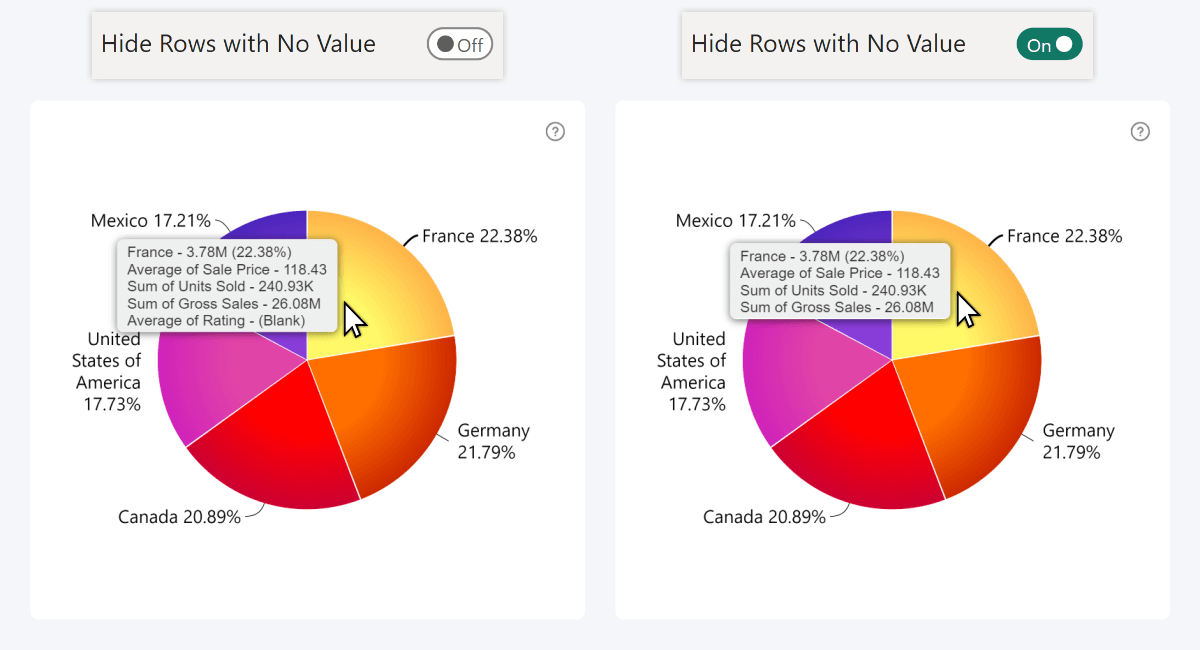
Use this setting to control how the tooltip handles fields from the Tooltip Content section that contains blank values.
- Off (default): The tooltip always displays all fields from Tooltip Content. Fields with no value are shown as (Blank).
- On: Fields from Tooltip Content that contain no value are automatically hidden from the tooltip.
Was this helpful? Thank you for your feedback!
Sorry about that.
How can we improve it?